

For agencies / Admin
Delete your agency
Schedule your whole agency for deletion, with 15 days to change your mind.
Who can do this: Admins
Deleting an agency removes everything in it. Nothing is deleted at once: the agency waits 15 days, and any Admin can cancel until then.
Before you start
- Any Admin can delete the agency, however many Admins it has. Creatives don't see the Delete agency panel.
- If you want to delete only your own account, see Delete your account.
Steps
- Open Agency in the menu. Delete agency is the last panel on the page.
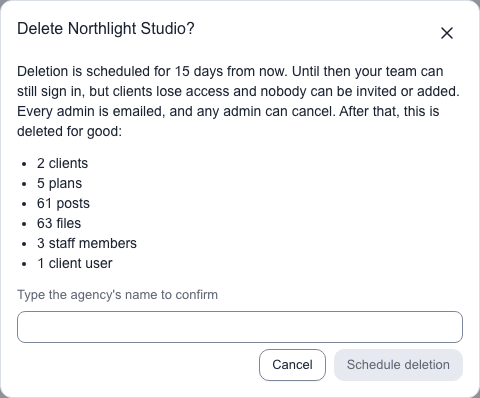
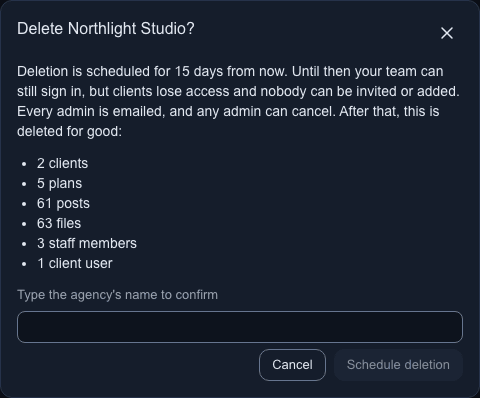
- Select Delete agency. A dialog lists what is deleted for good, with a count for each kind the agency has: clients, plans, posts, files, staff members and client users. If some client users also work with another agency, it says how many of them keep their account.
- Type the agency's name under Type the agency's name to confirm.
- Select Schedule deletion. The button stays disabled until the name matches.
If you haven't signed in within the last five minutes, the app first emails you a link to confirm it's you. Open it within 15 minutes, then schedule the deletion again.
What happens next
The panel changes to "Deletion scheduled" with the day the agency is deleted, 15 days from now. Every active Admin gets an email saying who scheduled it and when, with a button that opens the agency settings, where you cancel.
Until that day:
| Who | What changes |
|---|---|
| Staff | Everyone can still sign in and work, download PDFs and files. Every page in the staff area shows This agency will be deleted on the date. You can't invite people or add clients. |
| Admins | Admins also see Cancel deletion, in the banner and in the panel. |
| Clients | Clients can't open the agency's plans. Where the agency was their only one, they see This agency's workspace is no longer available. Clients get no notification emails, and staff can't invite them or send them sign-in links. |
A client user who also works with another agency keeps that agency and can still open it.
What happens on the day
Shortly after the 15 days are over, the agency is deleted for good:
- Its clients are deleted with their plans, posts, comments and files. That includes images and videos, trashed ones too, and client logos.
- The activity log and open invitations are deleted.
- Staff accounts are removed entirely, with their avatars and any Google Drive or Canva connection.
- A client user whose only agency this was has their account anonymised and shown as "Deleted user".
- A client user who also works with another agency keeps their account and that agency. They lose only access to this one.
Every active Admin gets a final email when it is done. Nothing can be restored afterwards. Encrypted backups keep the data for up to 30 more days, then it is removed from them too.
Cancel the deletion
Any Admin can cancel until the deletion day:
- Select Cancel deletion in the banner at the top of any staff page, or in the panel on Agency.
Access returns: clients can open their plans again, and you can invite people and add clients. Notifications that were skipped in the meantime are not sent afterwards. Every active Admin gets an email saying who cancelled.