

For agencies / Clients & team
Add client users
Give people access to a client's plans and send their welcome sign-in link.
Who can do this: Admins
Steps
- Open Clients and select the client's name.
- Select Add person in the Users panel.
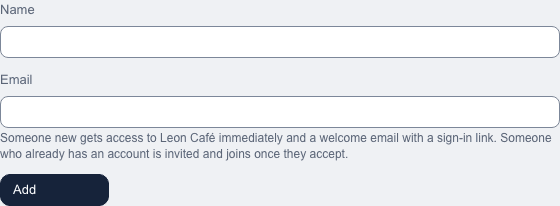
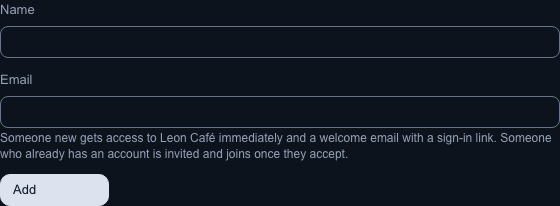
- Enter the person's Name and Email, then select Add.
What happens next
A new person has access immediately and appears in the user list. They get a welcome email with an Open your plans button. It opens a sign-in page; Continue signs them in. On their first visit they accept the Terms of Service and Privacy Policy. You don't need to wait for them to click: they already receive plan emails.
If the email already has an account, it is invited instead: the invitation appears under Pending invitations on Agency, Team, and the person joins this client once they select Accept invitation in the email. Their name stays unchanged. An account can review several clients, even across agencies. Either way the form shows the same confirmation. Adding someone who already has access to this client tells you so. If the address already has a pending invitation to another client or as staff, revoke it on Team first.
Notes
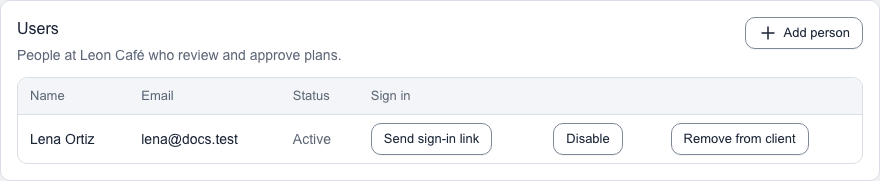
- Send sign-in link sends a fresh link to the person. Every link works once and expires after 7 days. Later plan emails include new links; the person can also request one on the sign-in page.
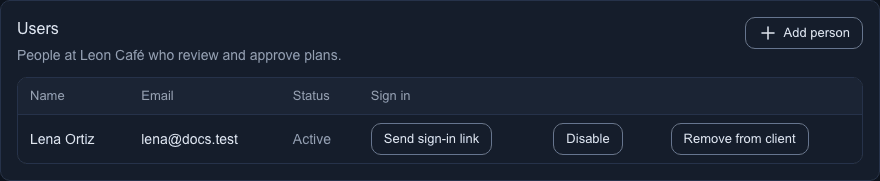
- You can Disable or Remove from client a person. You can't delete a client user; they can delete their own account.
- Disable ends the person's access to your clients only. Status then shows Disabled, and the row offers Enable in place of Disable. Enable gives the access back, with no new invitation. If the person also works with another agency, that access is not affected, and neither agency sees the other's decision.
- Remove from client takes the person off this client. Their account, and any other client or agency they work with, stays.
- You can't add a person you have disabled to another of your clients: you are told "This person is disabled. Enable them first."
- Removing a person's only client leaves their account available to sign in, but no plans to review.
- Email notifications below Users shows which emails each person receives. Details shows the types. People choose these themselves; you can't change them here.
- Old client invitation links still work until they expire. The person enters their name and accepts the policies, with no password.
- You can resend or revoke a pending invitation like any other.