

For agencies / Notifications
Choose your notifications
See what happened on your plans, and choose which emails, popups and sounds you get.
Who can do this: All staff
Steps
-
Select Notifications, above your name at the foot of the menu, to see recent activity.
-
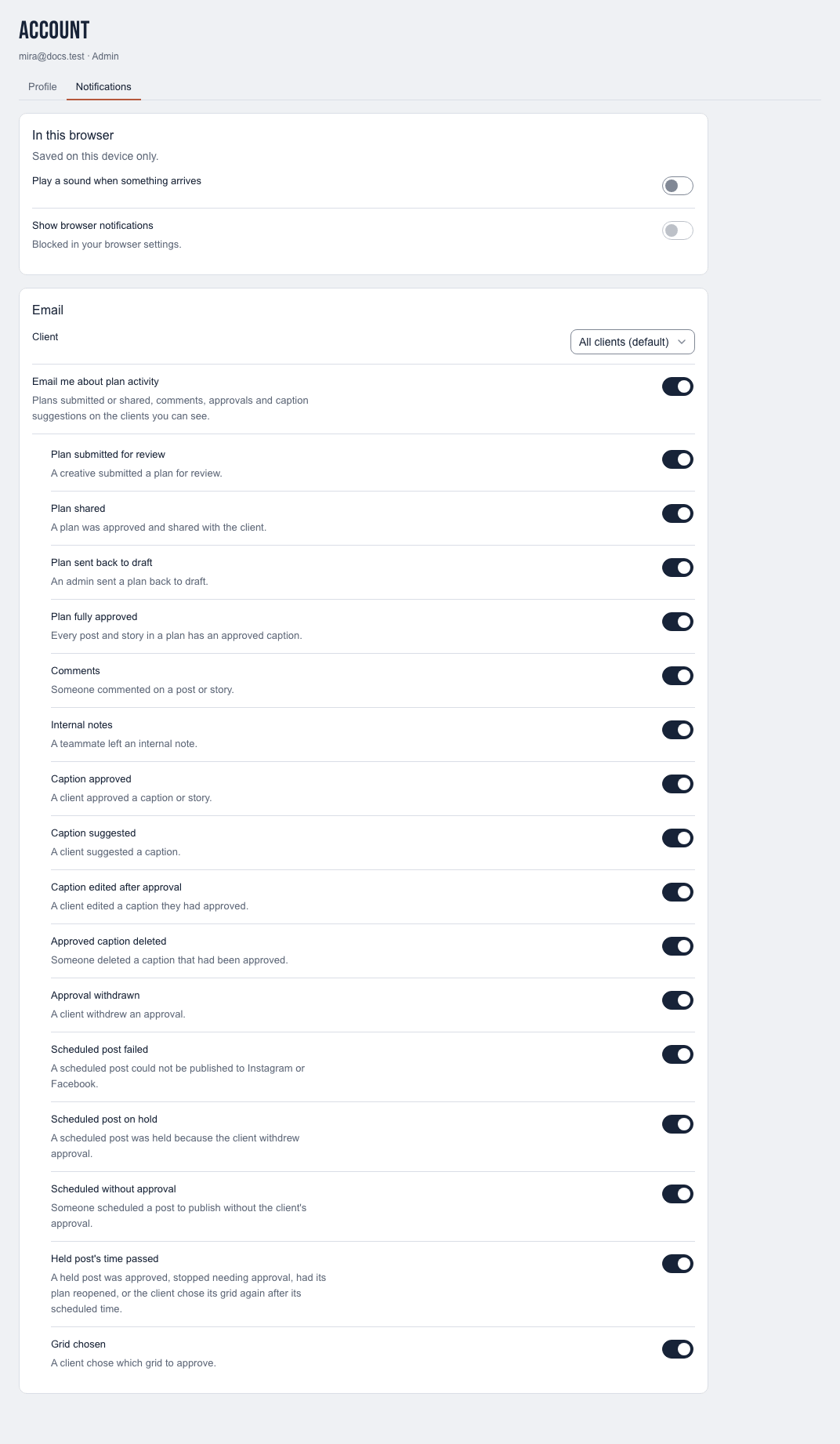
Open the card with your name and select the Notifications tab to change what you get.
-
Turn Play a sound when something arrives and Show browser notifications on or off under In this browser.
-
Turn Email me about plan activity on or off under Email, and each email type below it.
-
Choose a client under Client to set its email on its own. Leave All clients (default) for the default. Turn off Email me about the client to mute all its email.
What happens next
Changes save automatically. Email choices never remove in-app notifications, and browser choices apply only to the device you are on.
Who is notified about what
| Staff get | Clients get |
|---|---|
| A plan submitted for review, shared or sent back to draft | A plan shared with them, or unshared |
| Client comments, and internal notes from teammates | Comments your agency sends them |
| Captions approved or suggested, approvals withdrawn, approved captions edited or deleted by the client | A caption they approved edited or deleted, so it needs approval again |
| A plan fully approved | An approved story or alternative deleted |
| The client's grid choice |
Admins hear about every client; Creatives about the clients assigned to them. Nobody is notified about their own action.
Open a notification email
Select the email's button to open the relevant plan, post or story. If you are signed out, sign in first to continue to that page. The button does not sign you in as the email's recipient.
Notes
- Client appears when you work on more than one client. A client with its own choices shows "· custom" in the list, or "· muted", and each email type you changed shows Custom. Select Reset to default to go back to your defaults for that client.
- A notification about a comment or caption shows its words. When its author edits it, the notification stays without the words; when its author deletes it, the notification is removed for everyone and doesn't come back on restore. Emails not yet sent are dropped; sent ones can't be taken back.
- A client's page shows Admins which emails each client user gets. See Add client users.